For Sportsbooks
Integration Guide
Integrate ALT Sports Data into your sportsbook platform
Integration Guide
This guide walks you through integrating ALT Sports Data into your sportsbook platform, from installing the SDK to pulling live events and odds in production.
Installation
npm install altsportsdatapip install altsportsdataAuthentication
Store your API key securely as an environment variable:
export ALTSPORTSDATA_API_KEY="your-production-key"import { AltSportsData } from 'altsportsdata';
const client = new AltSportsData({
apiKey: process.env.ALTSPORTSDATA_API_KEY
});from altsportsdata import AltSportsData
import os
client = AltSportsData(
api_key=os.getenv('ALTSPORTSDATA_API_KEY')
)Integration Workflow
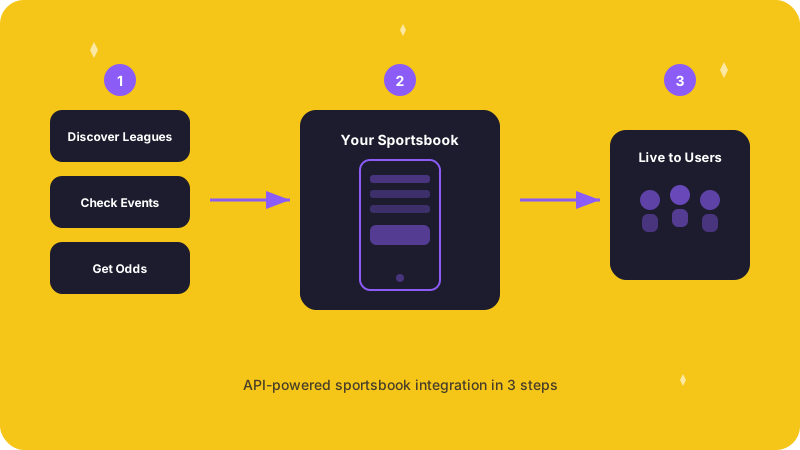
The typical integration follows four steps: discover leagues, review their data, pull events and markets, then handle errors gracefully.
Step 1. Discover leagues
Find leagues that match your sportsbook's sport coverage goals:
const leagues = await client.leagues.list({
  sportType: 'Soccer',
  tier: 'elite',
  limit: 100
});

for (const league of leagues.data) {
  console.log(`${league.name} (${league.country}) - Tier: ${league.tier}`);
}
leagues = client.leagues.list(
sport_type='Soccer',
tier='elite',
limit=100
)
for league in leagues.data:
print(f"{league.name} ({league.country}) - Tier: {league.tier}")Step 2. Check league readiness
Before integrating a league, check its data quality and readiness score to confirm it meets your standards:
const readiness = await client.leagues.readiness('league_001');

console.log(`Overall Score: ${readiness.data.overall_score}/1000`);
console.log('Dimensions:', readiness.data.dimensions);
readiness = client.leagues.readiness('league_001')
print(f"Overall Score: {readiness.data.overall_score}/1000")
print(f"Dimensions: {readiness.data.dimensions}")Step 3. Pull events and markets
Once you have selected your leagues, fetch upcoming events and their associated market data:
const events = await client.events.list({
  leagueId: 'league_001',
  dateFrom: '2026-03-01',
  dateTo: '2026-03-31'
});
events = client.events.list(
league_id='league_001',
date_from='2026-03-01',
date_to='2026-03-31'
)Step 4. Handle errors
Production integrations should handle common error cases explicitly:
try {
  const league = await client.leagues.get('invalid_id');
} catch (error) {
  if (error.code === 'RESOURCE_NOT_FOUND') {
    console.error('League not found');
  } else if (error.code === 'RATE_LIMIT_EXCEEDED') {
    console.error('Rate limit exceeded');
  } else {
    console.error('API error:', error.message);
  }
}
from altsportsdata.exceptions import (
ResourceNotFoundError,
RateLimitError
)
try:
league = client.leagues.get('invalid_id')
except ResourceNotFoundError:
print('League not found')
except RateLimitError:
print('Rate limit exceeded')
except Exception as e:
print(f'API error: {e}')Production best practices
- Cache responses -- store league and event data locally to minimize API calls and reduce latency for your users
- Monitor rate limits -- check
X-RateLimit-RemainingandX-RateLimit-Resetresponse headers to stay within your plan's limits - Implement retry logic -- use exponential backoff for transient
5xxerrors and429rate limit responses - Filter early -- use query parameters to request only the leagues, date ranges, and sport types you need, reducing payload size and processing time
Next steps
- Full API Reference -- detailed endpoint documentation for every resource
- SDKs -- TypeScript and Python client libraries
- Authentication -- API key management and security
- Error Reference -- complete list of error codes and their meanings