Rate Limits
Understand ALT Sports Data rate limits, headers, and retry behavior.
Rate Limits
ALT Sports Data applies rate limits so integrations remain stable and predictable across demo, development, and production usage.
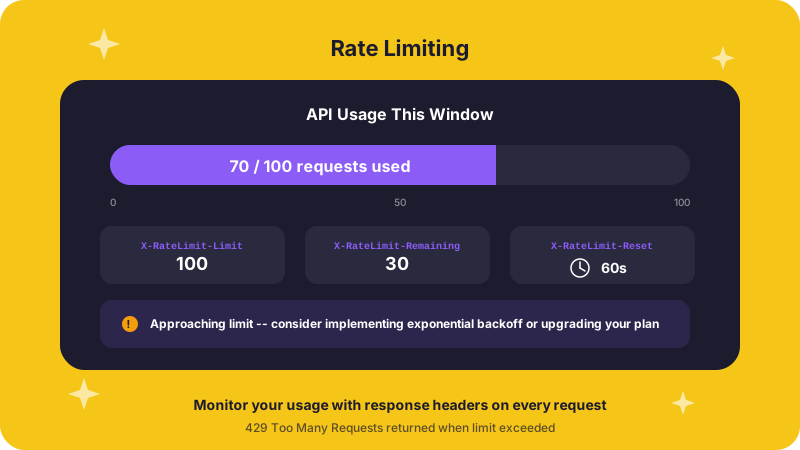
Rate limit headers
Every API response includes rate limit information in the headers:
X-RateLimit-Limit: 1000
X-RateLimit-Remaining: 999
X-RateLimit-Reset: 1678886400X-RateLimit-Limitis the maximum requests allowed per windowX-RateLimit-Remainingis the remaining quota in the current windowX-RateLimit-Resetis the Unix timestamp for the next reset
Example tiers
| Tier | Requests/Hour | Requests/Day |
|---|---|---|
| Demo | 100 | 1,000 |
| Free | 1,000 | 10,000 |
| Pro | 10,000 | 100,000 |
| Enterprise | Custom | Custom |
When you hit the limit
If you exceed the limit, the API responds with 429 Too Many Requests:
{
  "error": {
    "code": "RATE_LIMIT_EXCEEDED",
    "message": "Rate limit exceeded. Please retry after 1678886400",
    "retry_after": 1678886400
  }
}
Integration guidance
- Read the rate limit headers on every response.
- Cache aggressively where it makes sense.
- Filter requests early to reduce unnecessary calls.
- Back off and retry gracefully after
429responses.
async function fetchWithRetry(url, headers) {
  const response = await fetch(url, { headers });

  if (response.status !== 429) {
    return response;
  }

  const resetAt = Number(response.headers.get('X-RateLimit-Reset'));
  const waitMs = Math.max(resetAt * 1000 - Date.now(), 1000);

  await new Promise((resolve) => setTimeout(resolve, waitMs));
  return fetch(url, { headers });
}
import time
import requests
def fetch_with_retry(url: str, headers: dict[str, str]):
response = requests.get(url, headers=headers)
if response.status_code != 429:
return response
reset_at = int(response.headers.get('X-RateLimit-Reset', 0))
wait_seconds = max(reset_at - int(time.time()), 1)
time.sleep(wait_seconds)
return requests.get(url, headers=headers)