Environments
Understand the path from demo exploration to production integration.
Environments
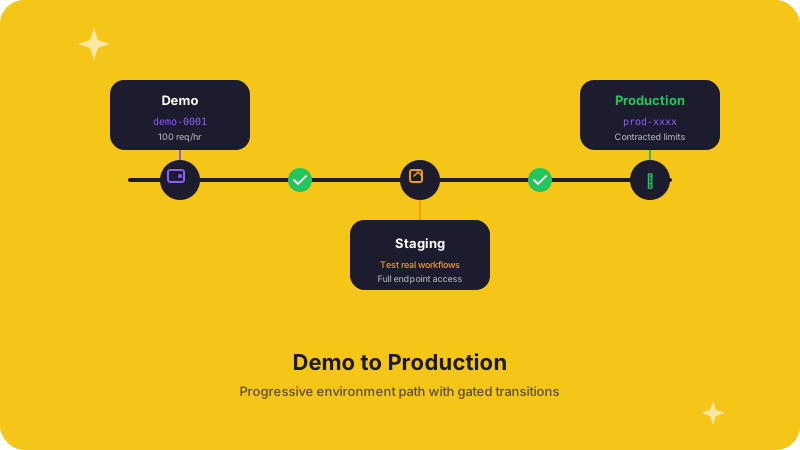
Most teams start with a demo key, validate the workflow they want, and then move to production credentials once they are ready to integrate at scale.
Demo access
Demo access is the fastest way to understand the platform:
- Explore public routes
- Test authentication and response handling
- Validate the sports, leagues, and market structures you care about
- Prototype apps, widgets, and agent workflows before commercial setup
You can start with a demo key such as demo-0001 in the examples across
these docs.
Production access
Production credentials are the right fit when you are:
- Shipping sportsbook or media experiences to end users
- Onboarding a league into a monetized partnership workflow
- Running reliable automations or AI agents against live data
- Needing higher limits, stronger operational guarantees, or broader access
See Authentication for current credential setup details.
Practical rollout path
- Explore the platform with a demo key.
- Validate the event, market, and odds workflows you need.
- Confirm your audience path: sportsbook, league, media, developer, or AI tooling.
- Move to production credentials when the integration is ready to go live.